You can keep your channel’s views, watch time, and subscriber changes visible without repeatedly opening YouTube Studio. A glanceable YouTube subscriber tracker can place those three numbers on one screen and refresh them automatically, so you see growth when you look up instead of unlocking your phone. Everview’s YouTube Subscriber Tracker is an e-paper display that updates views, watch time, and subscribers every hour, and Everview handles the technical syncing so you do not have to create API keys.
If you want a dedicated desk display for this view, see the Everview YouTube Subscriber Tracker.
What should a YouTube subscriber tracker show besides the subscriber count?
A subscriber total by itself is only part of the picture. Creators usually also want to know whether people are actually watching, and how much time they are spending with the channel. That is why YouTube Studio pairs subscribers with views and watch time: one number tells you who chose to follow along, and the other two tell you whether the work is being watched.
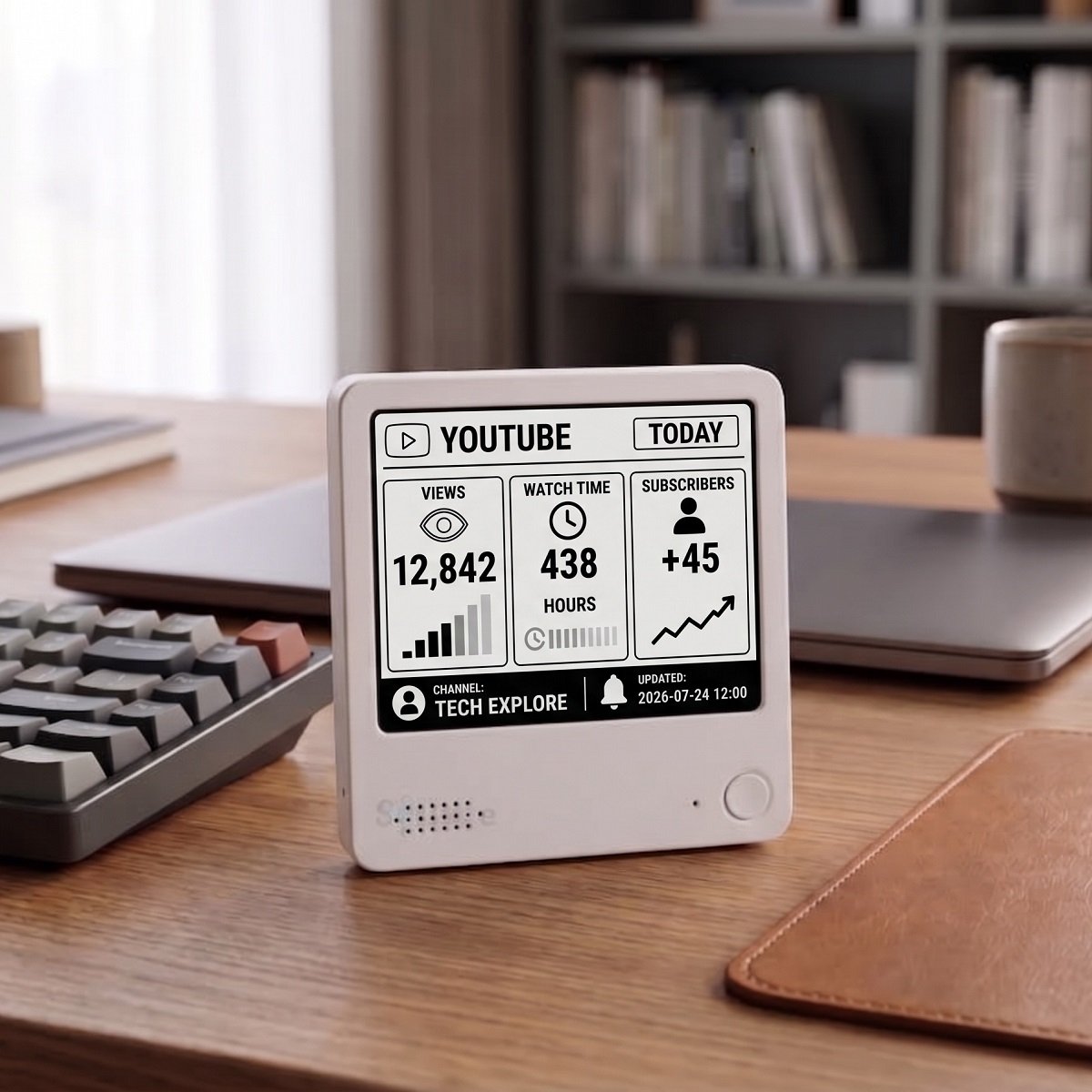
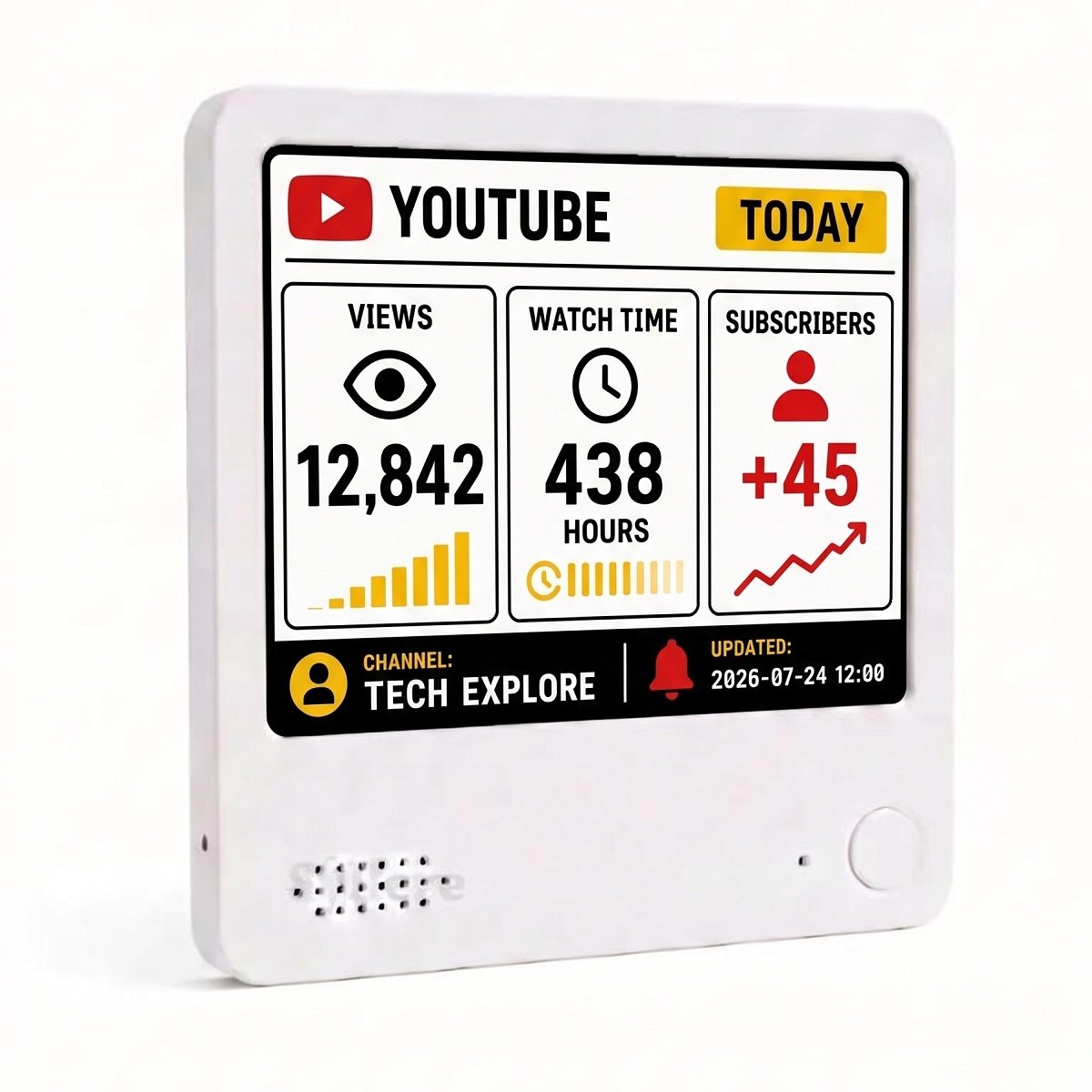
The product listing’s own photos show a YouTube dashboard labeled TODAY that places several signals side by side:
- Views for the selected period, shown as a large number with a simple bar chart
- Watch time, shown in hours
- Subscribers, shown as a change such as a daily gain, with a trend line
- The channel name and a last-updated timestamp along the bottom
This product-listing photo shows how views, watch time, and subscriber changes can appear together on one e-paper screen. The sample channel name and numbers on the display are examples of the layout, not typical results or a promise of growth.
How is a desk display different from checking YouTube Studio?
YouTube Studio is still the official place to manage your channel and review detailed analytics. Google’s own YouTube Help page on checking your subscriber count explains how to sign in to Studio, open Analytics, and review your official subscriber figures there.
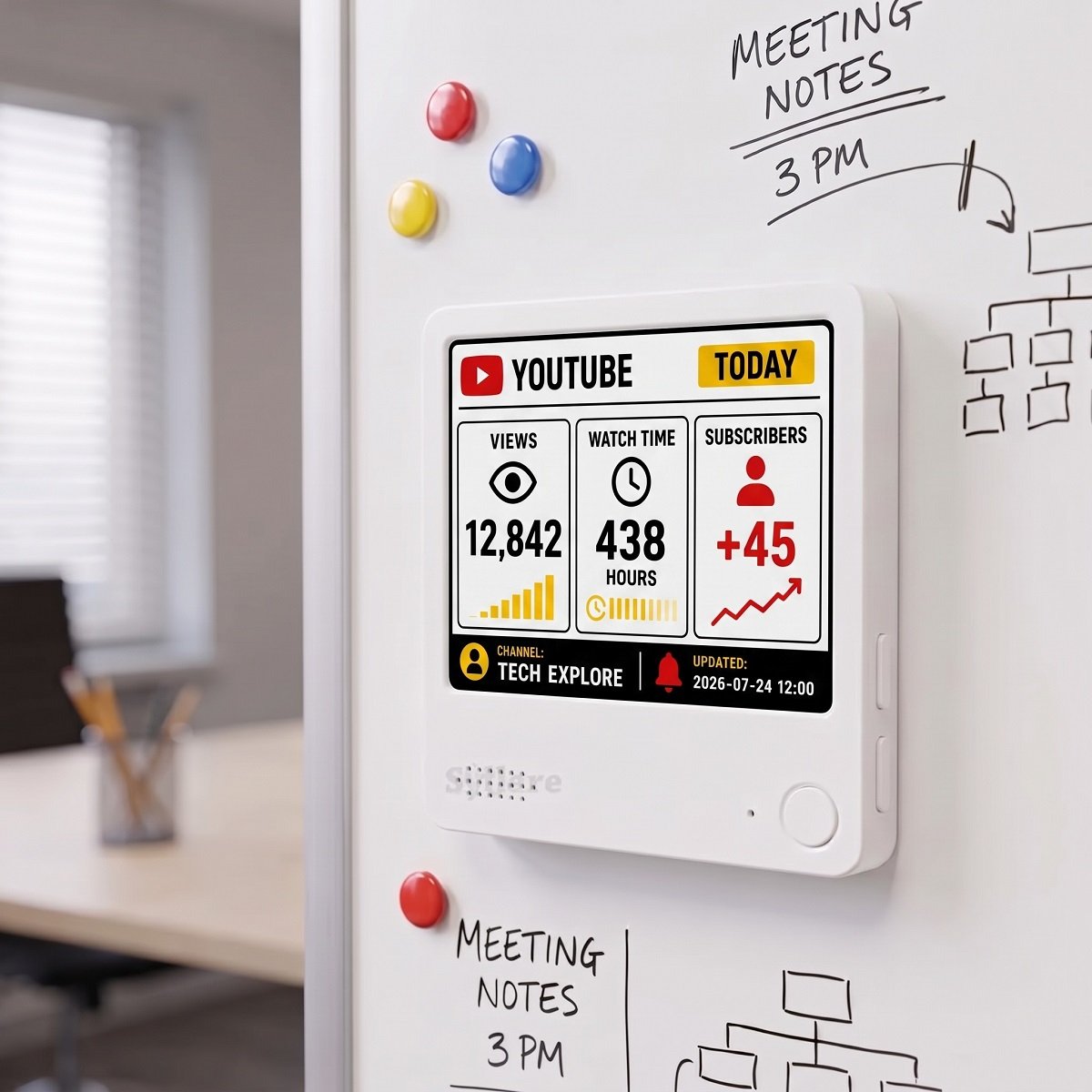
A desk display answers a different question: what do the latest hourly numbers show when you simply look up? Checking Studio usually means unlocking a phone or computer, opening the app or site, and moving through more than one screen. An always-visible YouTube subscriber counter can sit next to a microphone, on a monitor stand, or on a metal surface and keep the same comparison in view while you record or edit.
Everview describes the screen as paper-like e-ink, similar to a Kindle: crisp, glare-free, and readable in direct sunlight. The listing specifies a 4-by-4-inch (10 cm) display that is 0.4 inches (1 cm) thick, a built-in battery that can last up to a week on a charge, USB recharging, a magnetic back, and a stand. Because the screen is meant to stay on, it does not have to compete with a bright glowing LCD every time you glance at your numbers.
Do you need a YouTube API key to run a subscriber tracker?
Many physical YouTube subscriber counters ask you to create a free YouTube Data API key in Google Cloud, then join the device to Wi-Fi and paste that key yourself. That works, but it is extra setup, and it is easy to stall on project permissions or quotas if you have not done it before.
This Everview listing takes the opposite approach. It says there are no API keys, no complex settings, and no downtime for you to manage, because Everview handles the technical syncing. The published setup steps are:
- Purchase the device and choose a black-and-white or color screen at checkout.
- Provide your primary channel ID or username.
- Everview pre-configures the display before shipping.
If you later want to track a different channel or metric, the listing says you can send a message and the device can be reprogrammed remotely. If a dashboard gets stuck when you switch views, Everview also says its engineers can help with the technical side remotely through over-the-air support.
How often does a YouTube subscriber counter need to update?
Some subscriber counters try to change the number every second. That can be fun to watch, but it is not the same thing as understanding whether today’s views and watch time are moving with your audience. Public subscriber totals are also often rounded on YouTube itself once a channel grows past small milestones, which is why Studio remains the reference for official, detailed figures.
The Everview product copy is specific: views, watch time, and subscribers update automatically every hour. That is frequent enough to notice a good day without turning the display into something you stare at between edits. It is also a better match for e-paper, which is designed to hold a clear image between refreshes rather than animate a count second by second.
What should you check before buying a YouTube subscriber display?
Before you choose any glanceable YouTube subscriber tracker, match the screen to the decisions you actually make:
- Confirm that it shows more than a single subscriber total if you also care about views and watch time. This listing’s photos and copy present those three metrics together.
- Decide whether you want to create and maintain a YouTube API key yourself, or have the seller handle syncing and pre-configure the device before it ships.
- Check the refresh interval. This Everview display updates views, watch time, and subscribers every hour, which is useful for a calm desk view; it does not refresh every second.
- Choose between a color e-ink screen and a black-and-white screen. The listing notes that the color version needs a brief flash and a few seconds when switching views; the monochrome version is described as having no flash and faster switching.
- Note the current product-page details: $69 for the black-and-white screen or $109 for the color screen, plus a fixed $15 shipping fee for worldwide delivery. The box includes the display and setup instructions.
What should you keep in mind?
A display like this is for seeing information, not for running your channel. Treat the numbers as a convenient snapshot of the connected YouTube data, and use YouTube Studio when you need official history, monetization reports, comments, or settings.
The watch time shown here is a channel metric—the time viewers spend with your videos—not a personal tracker of how long you watch YouTube yourself. The sample figures in the product photos, including a channel named Tech Explore, 12,842 views, 438 hours of watch time, and a subscriber change of +45, are illustrative examples of the layout.
Color e-ink is designed for clarity, not instant animation. If you expect to switch views often and want no refresh flash, the monochrome option is the one the product page recommends.
If a glanceable YouTube subscriber tracker for views, watch time, and subscriber changes would help you keep growth in sight, you can review the Everview YouTube Subscriber Tracker.