You can keep your Pinterest follower count and recent growth visible without repeatedly opening the app. A glanceable Pinterest follower tracker can place your current audience, seven-day gain, average daily growth, and momentum on one always-on e-paper screen. Everview’s Pinterest Follower Counter & Growth Tracker is a daily growth dashboard for creators, bloggers, and brands, and it calculates those signals from historical follower data.
If you want a dedicated desk display for this view, see the Everview Pinterest Follower Counter & Growth Tracker.
What should a Pinterest follower tracker show besides the follower count?
A follower total tells you where you are. It does not, by itself, tell you whether this week is better than last week, or whether growth is speeding up. That is the gap a Pinterest growth tracker is meant to fill: turn a single count into a short set of growth signals you can read in a few seconds.
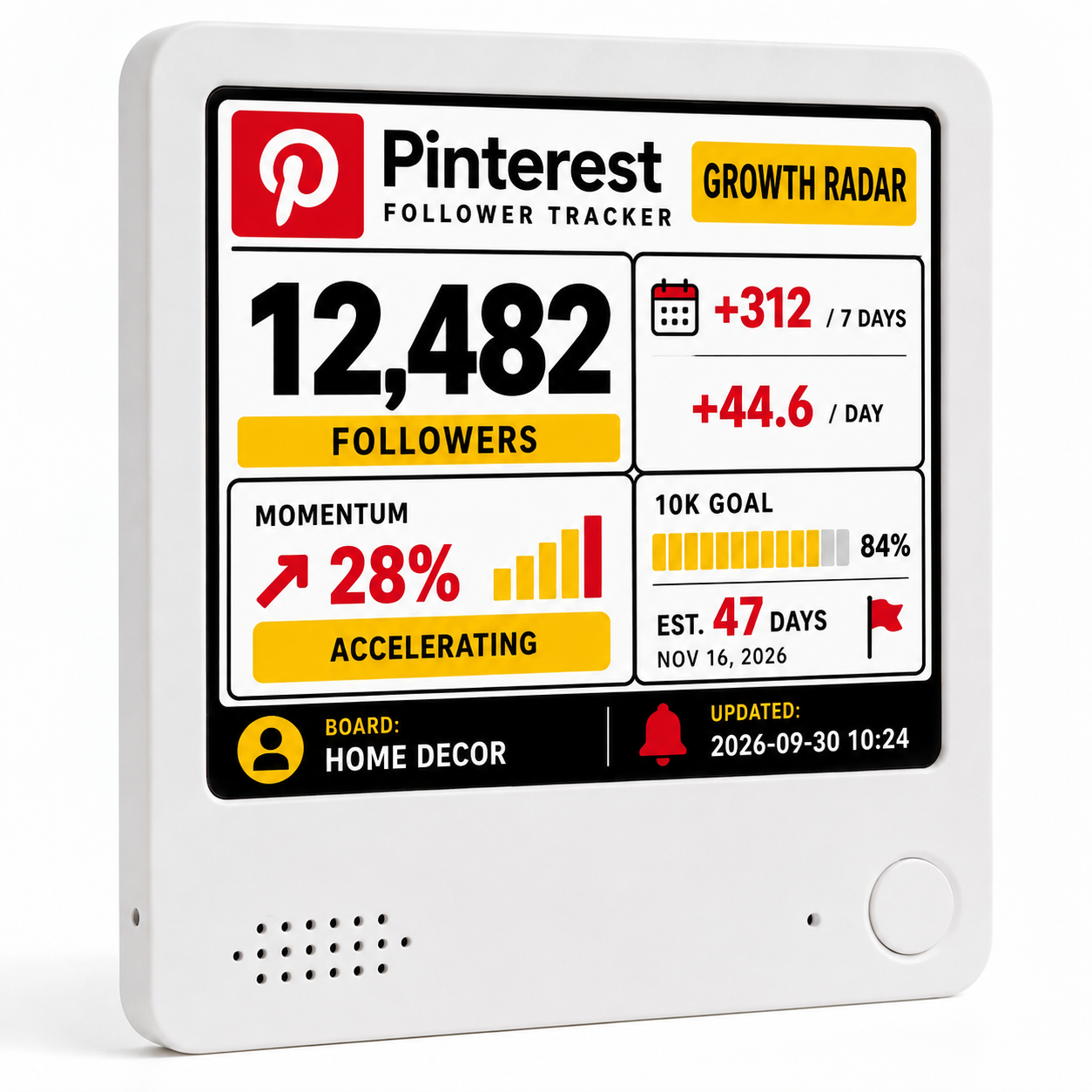
The Everview listing describes a daily growth dashboard that places several figures side by side:
- Your current Pinterest follower count
- Followers gained during the last 7 days
- Average daily follower growth
- Momentum, shown as a comparison with the previous period
- A simple status, such as “Accelerating,” so you can see whether the account is gaining pace
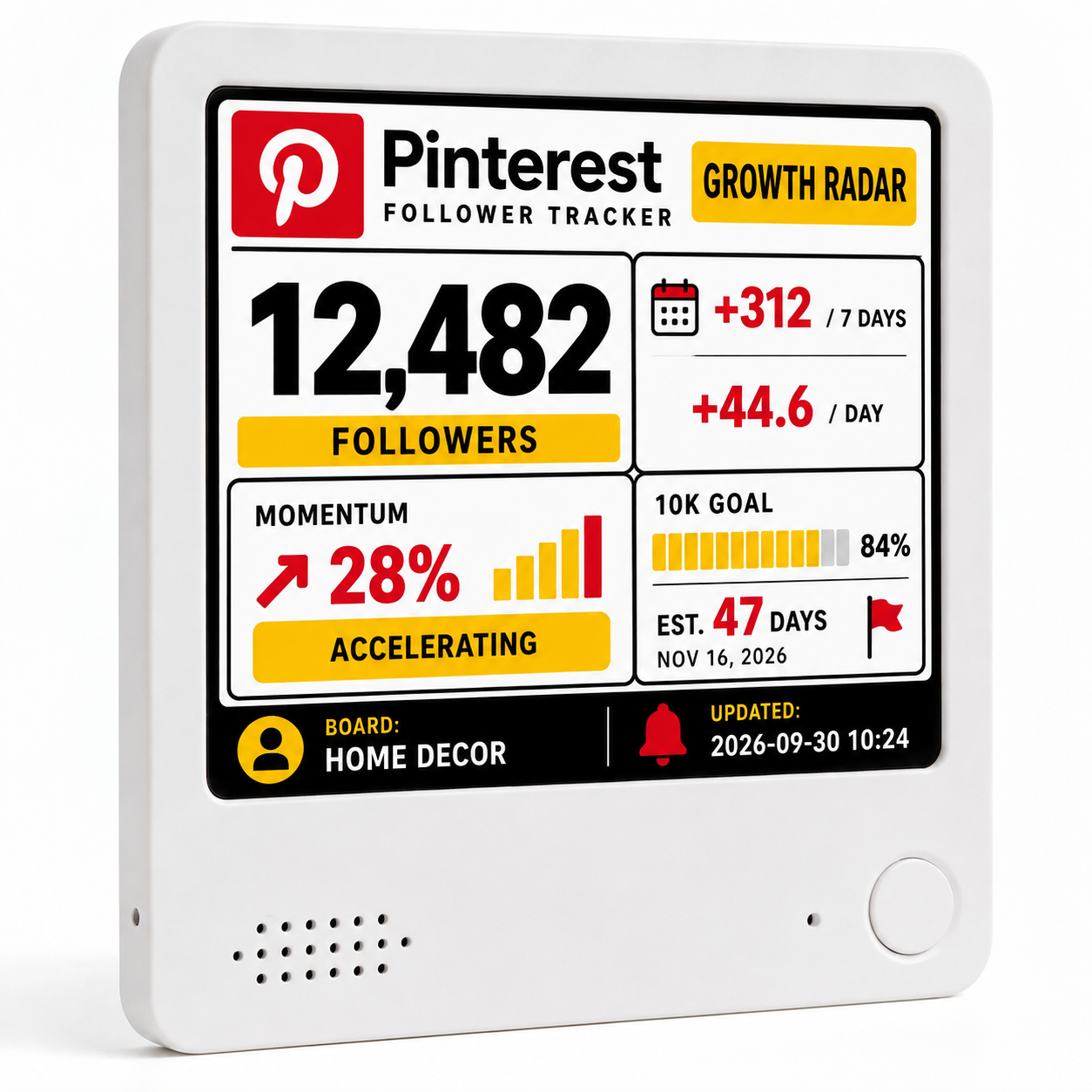
The product page’s own photo shows that layout on a color e-paper screen, with red, yellow, black, and white panels. The sample numbers in that photo, including 12,482 followers and a +312 seven-day gain, are illustrative examples of the layout. They are not typical results, and they are not a promise of growth.
How is a desk display different from checking Pinterest Analytics?
Pinterest Analytics is still the official place to review how your Pins perform. On a business account, the Overview page is built around impressions, saves, Pin clicks, outbound clicks, and audience figures, along with top Pins and boards. Pinterest also notes that real-time analytics are not available for audience metrics.
A desk display answers a different question: when you simply look up, is your audience growing? Checking Analytics usually means unlocking a phone or computer, opening the app or site, and moving through more than one screen. An always-visible Pinterest follower counter can sit on a desk, shelf, or studio bench and keep the growth comparison in view while you plan or edit.
Everview uses an e-paper screen rather than a conventional LCD, so the numbers stay visible like information printed on paper instead of competing with a bright, glowing display. The listing specifies a 4-by-4-inch (10 cm) screen that is 0.4 inches (1 cm) thick. The same product page also describes a built-in battery that can last up to a week on a charge, USB recharging, a magnetic back, and an included stand.
How do you get Pinterest growth data onto a desk display?
The public listing does not publish a click-by-click Pinterest login sequence, and it does not claim that you have to create API keys yourself. The setup steps on the product page are:
- Purchase the device. This listing’s checkout currently offers a Color Screen for $109.00 USD.
- Provide your Pinterest username.
- Everview pre-configures the display before shipping.
Growth statistics are automatically calculated from historical follower data, rather than from a single snapshot of the current total. The listing is clear about a limit: Pinterest account connection and the statistics that can be shown may depend on Pinterest API and account permissions.
If a dashboard gets stuck when you switch views, Everview says its engineers can help remotely through over-the-air support. The color e-ink screen needs a brief flash and a few seconds of processing time when switching between dashboards; the listing describes that as normal for the color version.
What should you check before buying a Pinterest follower counter?
Before you choose any glanceable Pinterest follower tracker, match the screen to the decisions you actually make:
- Confirm that it shows more than a single follower total if you also care about seven-day gain, daily average, and momentum. This listing’s copy and product photo present those signals together.
- Keep Pinterest Analytics for Pin performance. Impressions, saves, and outbound clicks still belong in Pinterest’s own reports; this display is described as a follower growth dashboard, not a replacement for official Pin analytics.
- Read the permissions note. If Pinterest’s API or your account type limits what can be connected, the available statistics may be narrower than the demo layout.
- Note the current product-page details: $109.00 USD for the Color Screen, plus a fixed $15 USD shipping fee for worldwide delivery. This listing does not currently offer a black-and-white option at checkout, and it does not publish a subscription price or an update interval.
- Decide whether a color e-ink refresh, with a short flash when views change, is acceptable on your desk.
What should you keep in mind?
This kind of display is meant to make follower growth easy to see, not to replace Pinterest’s official analytics or to predict how many followers you will gain. Treat the official Analytics overview as the reference for Pin performance, and treat the desk screen as a daily reminder of whether your audience is moving.
The numbers in the product photos are examples. Actual figures depend on your account and on what Pinterest permits the display to show. If you later want a similar always-on view for a YouTube channel, Everview also publishes a guide on how to track YouTube subscribers, views, and watch time without opening Studio.
If you want your Pinterest follower growth visible on the desk, the Everview Pinterest Follower Counter & Growth Tracker is the listing that matches this view.