You can keep today’s Etsy orders, pending work, shipments, and low-stock alerts visible without repeatedly opening Shop Manager. An e-paper desk display can place those four operations signals on one always-on screen, so you notice what needs packing or restocking when you look up. Everview’s Etsy shop display is a 4-inch e-ink device that updates throughout the day, and its product photos show an operations layout rather than a lifetime sales total.
If you want a dedicated desk display for this view, see the Everview Etsy Sales Tracker.
What can an Etsy desk display show besides a sales total?
A lifetime sales count is useful motivation, but it does not tell you what still needs to leave the packing table. Shop Manager is where you review new orders, complete shipments, and keep listing quantities up to date. A glanceable e-paper display is meant to bring a short version of that operations picture onto the desk.
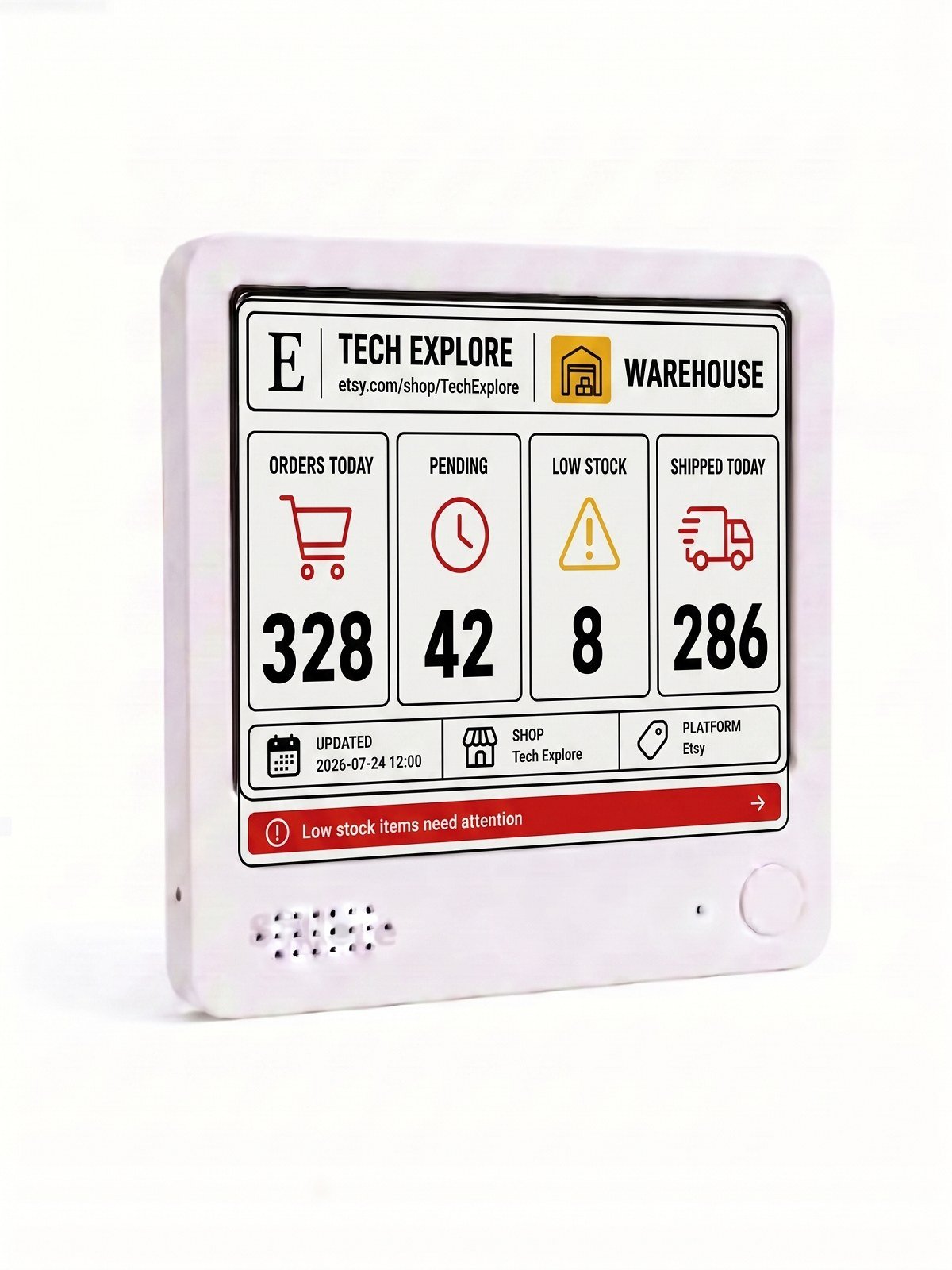
The official photos on this Everview listing show a warehouse-style layout with the shop name and four figures side by side:
- Orders today
- Pending
- Low stock
- Shipped today
Along the bottom, the same photos show the shop name, “Platform: Etsy,” a last-updated timestamp, and a red alert that reads “Low stock items need attention.” That is a different job from a simple Etsy sales counter, which usually highlights a running total. One additional photo on the same listing shows a total-sales layout; this article focuses on the operations view that makes up most of the gallery.
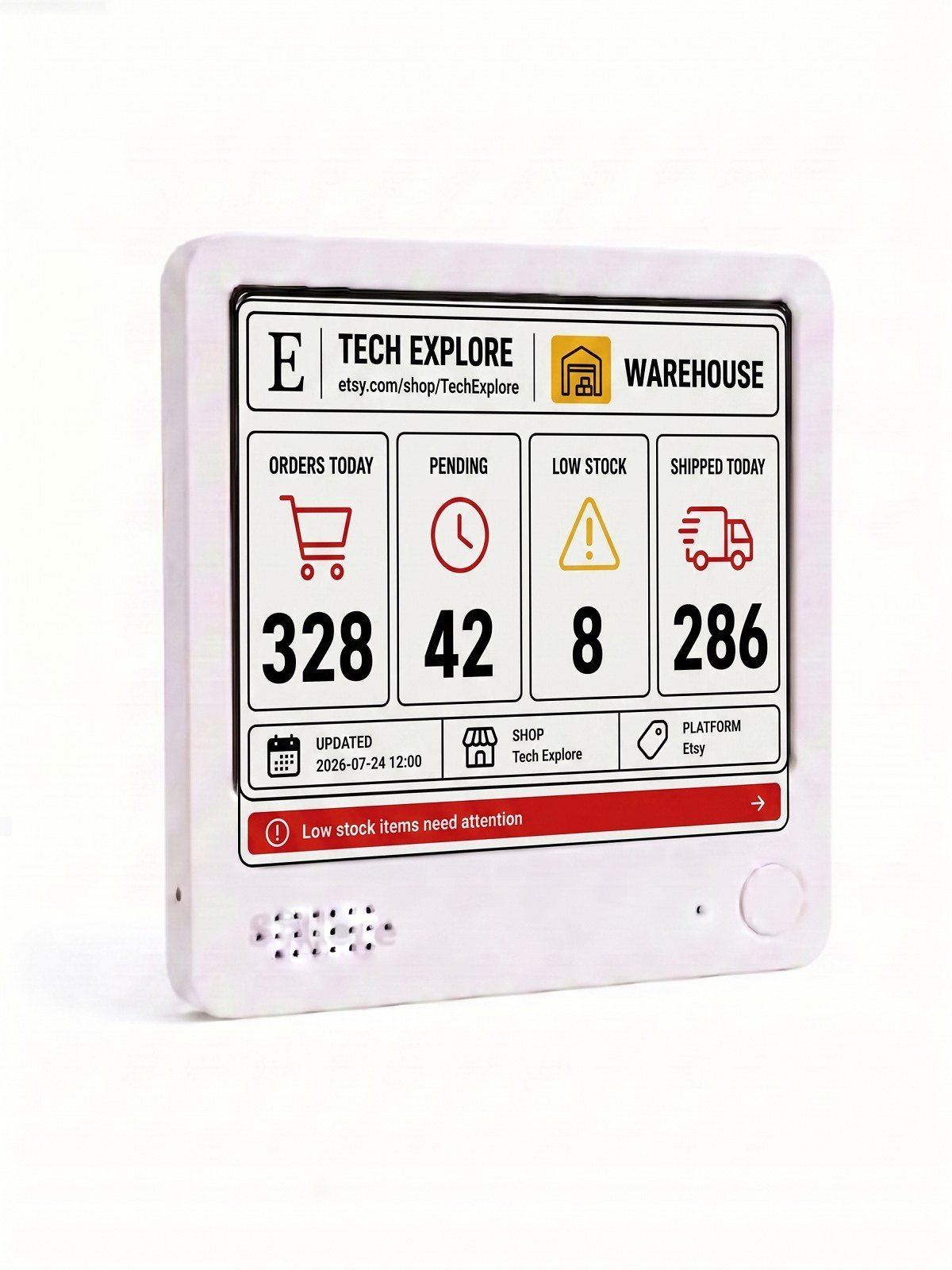
This product-listing photo shows how today’s orders, pending work, low stock, and shipped orders can appear together on one e-paper screen. The sample shop name Tech Explore and the numbers 328, 42, 8, and 286 are examples of the layout. They are not typical shop results, and they are not a promise of sales volume.
How is a desk display different from checking Etsy Shop Manager?
Shop Manager remains the official place to open an order, message a buyer, add tracking, and complete a shipment. Etsy’s help pages explain that after a sale, sellers go to Shop Manager, then Orders, where unshipped orders are listed under the New tab and finished work moves to Completed. The Shop Manager dashboard also surfaces today’s top tasks, including orders that need shipping.
A desk display answers a narrower question: when you look up from the packing table, do you have new orders, a backlog, shipments already out, or listings that need restocking? Checking Shop Manager usually means unlocking a phone or computer and moving through Orders, Listings, or Stats. An always-visible e-paper display can sit on a desk, a metal board, or a fridge and keep those four signals in view while you pack.
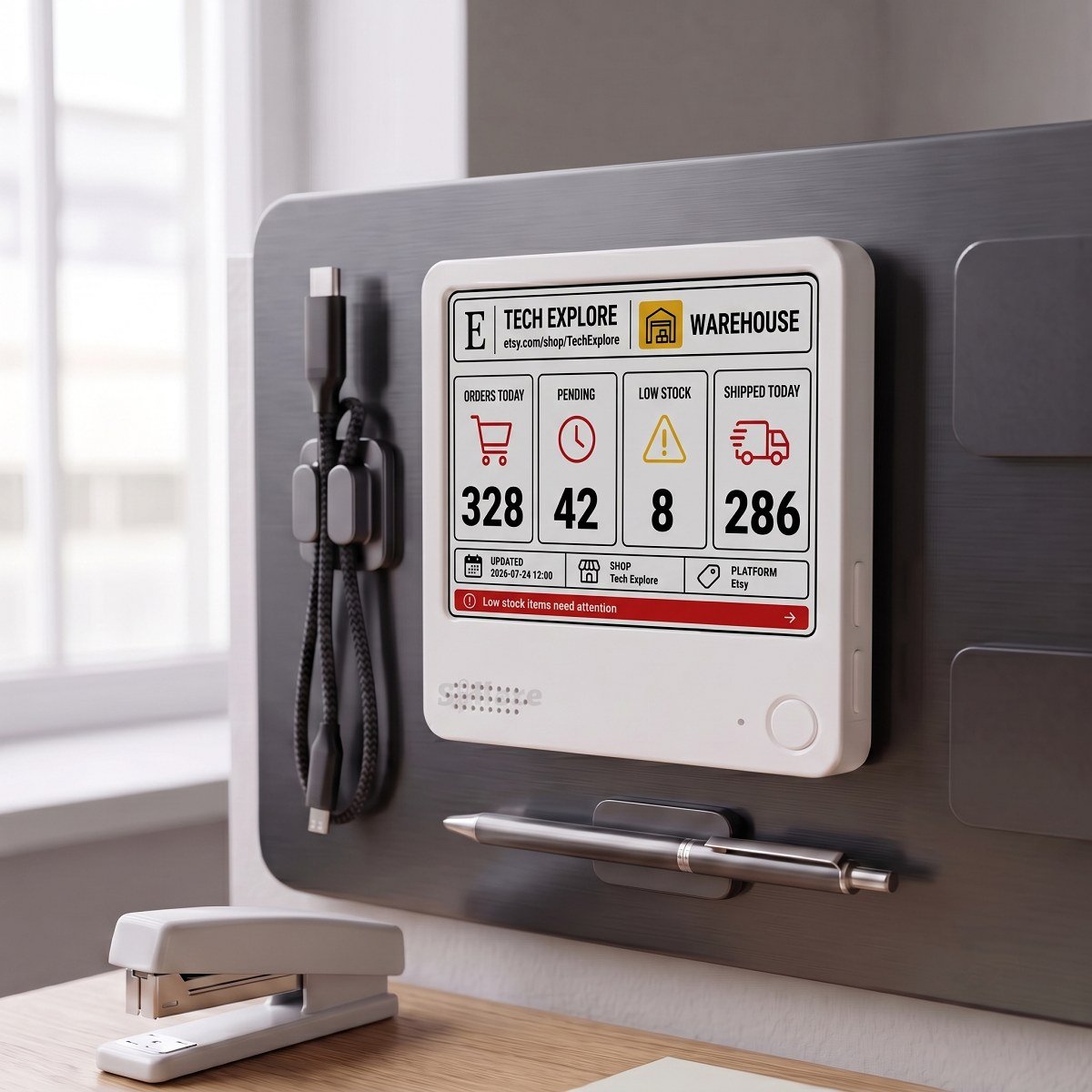
Everview describes the screen as paper-like e-ink, similar to a Kindle: crisp, glare-free, and readable in direct sunlight. The listing specifies a 4-by-4-inch (10 cm) display that is 0.4 inches (1 cm) thick, a built-in battery that can last up to a week on a charge, USB recharging, a magnetic back, and an included stand. Because the screen is meant to stay on, it does not have to compete with a bright LCD every time you glance at the day’s work.
Etsy also reports shop figures in more than one place. The public shop sales number, the Stats page, and the Orders page can differ slightly, and Etsy notes that Stats figures refresh periodically throughout the day. Treat Shop Manager as the reference when you need to act on a specific order, and treat the desk screen as a convenient snapshot of the connected shop data.
How do you get Etsy shop operations onto an e-paper display?
The public listing does not publish a click-by-click Etsy login sequence, and it does not ask you to create an Etsy developer app or API keys yourself. The setup steps on the product page are:
- Purchase the device and choose a color or black-and-white screen at checkout.
- Provide your Etsy shop details.
- Everview pre-configures the display before shipping, then follows up by email about the specific settings.
Etsy is enabled by default on this listing. The device features automatic, regular updates throughout the day, so you do not have to keep the Seller app open to see the latest snapshot. The product photos include an “Updated” timestamp on the screen; the listing does not publish a minute-by-minute or second-by-second refresh interval.
If you later want a different shop or metric, the listing says you can send a message and the device can be reprogrammed remotely. If a dashboard gets stuck when you switch views, Everview says its engineers can help through over-the-air support.
What should you check before buying an Etsy order desk display?
Before you choose any glanceable display for Etsy shop operations, match the screen to the decisions you actually make:
- Confirm that it shows more than a lifetime sales total if you also care about today’s orders, pending work, shipments, and low stock. This listing’s main product photos present those four signals together, plus a low-stock alert.
- Keep Shop Manager for fulfillment work. Opening an order, adding a tracking number, and completing a shipment still belong in Etsy’s own Orders page; this display is a desk view, not a replacement for official seller tools.
- Check the update wording. This Everview display refreshes automatically throughout the day. That is a better match for a calm e-paper screen than a counter that tries to change on every sale.
- Choose between a color e-ink screen and a black-and-white screen. The listing notes that the color version needs a brief flash and a few seconds when switching views; the monochrome version is described as having no flash and faster switching.
- Note the current product-page details: $69.00 USD for the black-and-white screen or $109.00 USD for the color screen, plus a fixed $15 USD shipping fee for worldwide delivery. The listing does not publish a subscription price. The box includes the display and setup instructions.
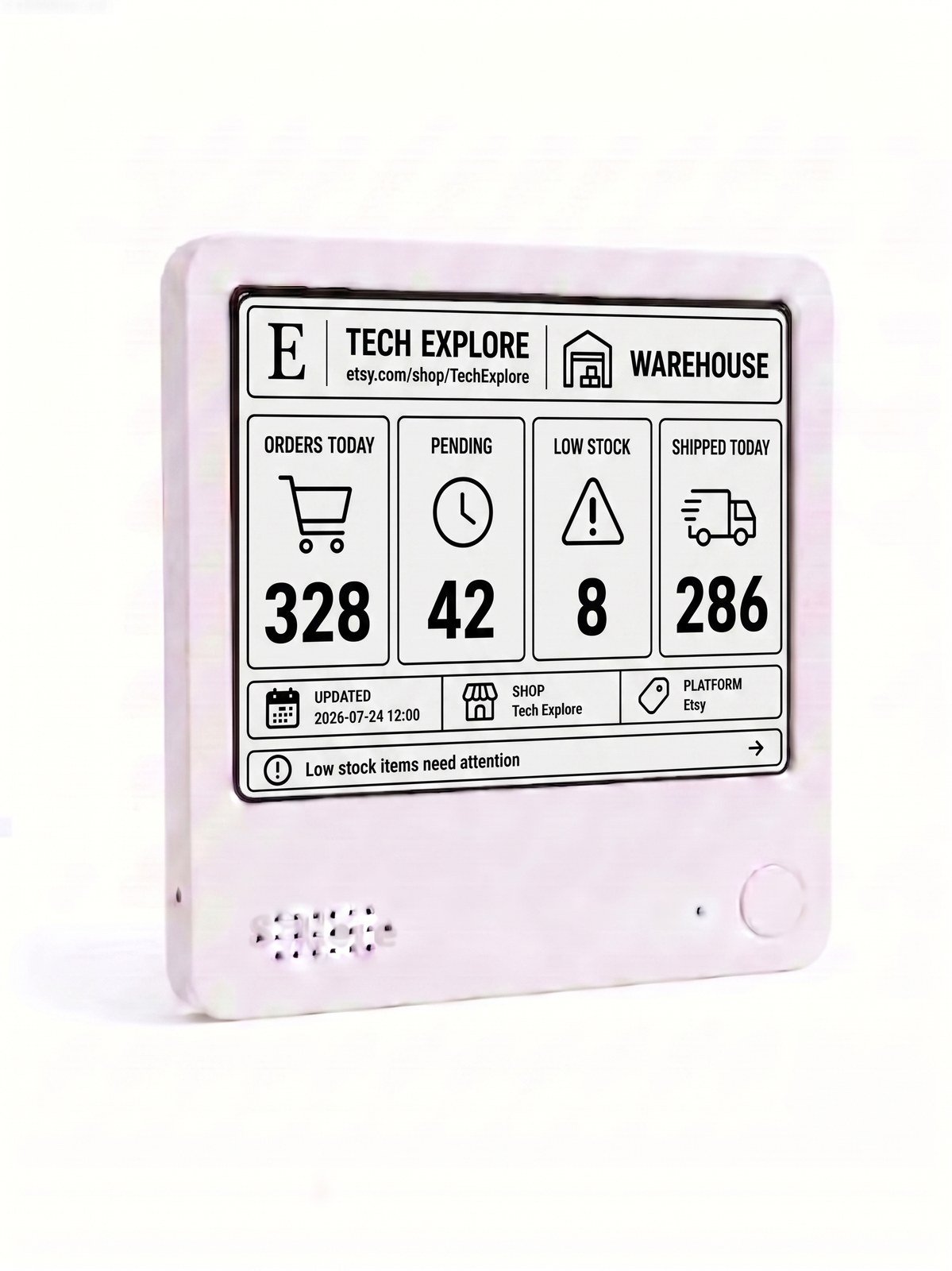
The black-and-white product photo shows the same operations layout as the color version. If you expect to switch views often and want no refresh flash, the monochrome option is the one the product page recommends.
What should you keep in mind?
A display like this is for seeing what needs attention, not for running your shop. Use it as a convenient snapshot of today’s orders, pending work, shipments, and low stock, and open Shop Manager when you need to complete an order, message a buyer, or edit a listing quantity.
The sample figures in the product photos are examples of the layout, not typical results. Actual numbers depend on your shop and on the data the display is configured to show. The listing does not claim that the desk view replaces Etsy’s official sales, Stats, or inventory records.
If you also want a glanceable desk view for a creator account, Everview has guides on how to track YouTube subscribers, views, and watch time without opening Studio and how to track Pinterest follower growth without opening the app all day.
If you want today’s Etsy orders and low stock visible on the desk, the Everview Etsy Sales Tracker is the listing that matches this operations view.